Analysis Parameters
Overview
To access the Analysis Parameters:
- Log into the vFunction Server UI
- Select Analysis from the top, center Menu Bar
- Select Configure Parameters from the left-hand sidebar under the Actions Header
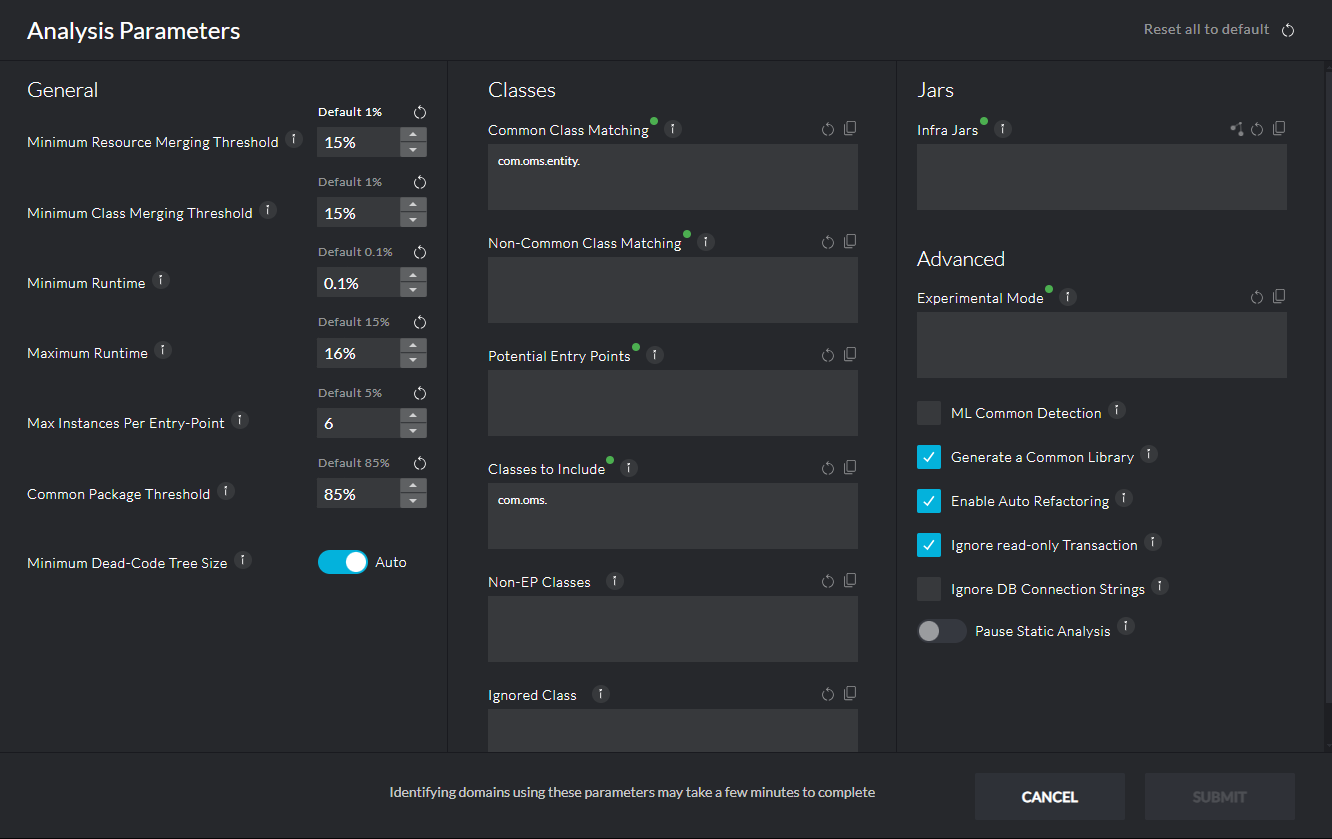
Every field in this dialog has a description that can be displayed by hovering over the circled (i) next to its label so we will not cover each and every field.
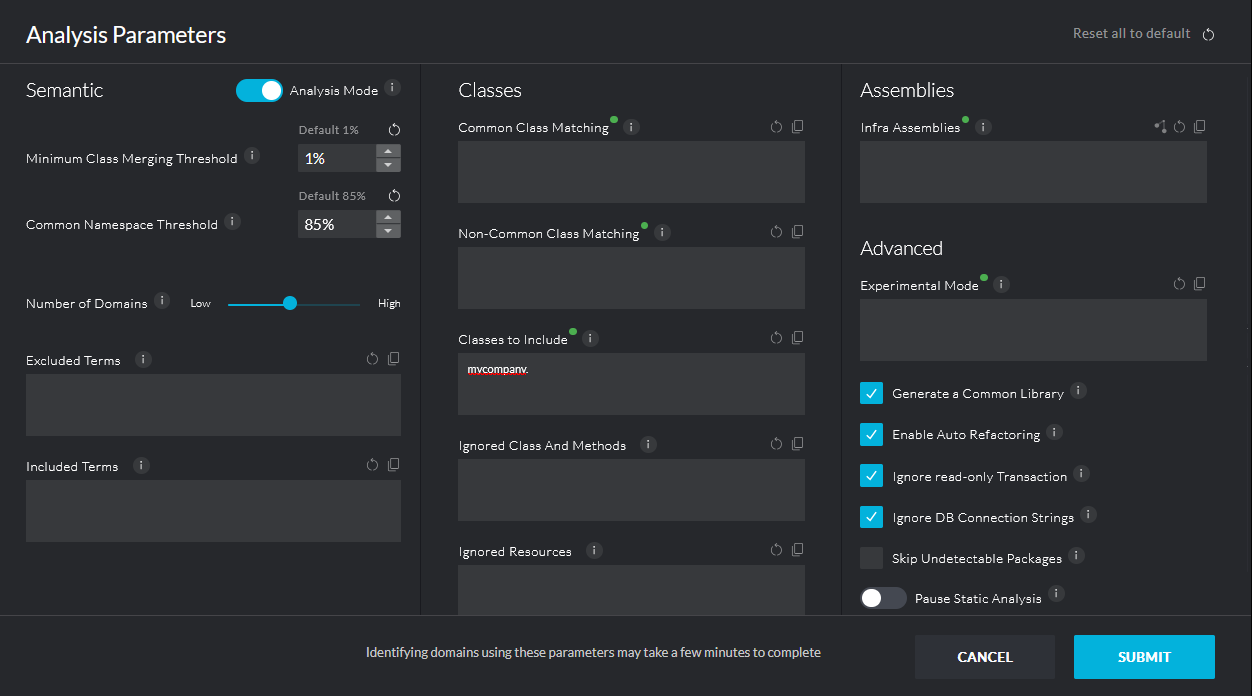
The left side of the dialog controls the settings of the automatic analysis, while the center and right columns controls the scope and other analysis settings. Changing the settings on the left side, for example, Maximum Runtime, will enforce a complete analysis run (as opposed to an incremental analysis run) - recalculating the domains and common libraries for the current constraints introduced by the user’s actions. Another common usage of these parameters is to increase or decrease the number of domains created by the initial analysis, for example, decreasing the Minimum Runtime will result in more domains.
It is important to note the Classes to Include field, which is also set when creating a new application in the server. It lists the namespaces / packages that will be included in the scope of the analysis. In other words, classes outside these namespaces will be considered “external” and will not be included in the various domains and in the common library.
Exclusivity vs Semantic Analysis
In Server version 4.7 and later, vFunction offers two types of Analysis. A toggle can be used to switch between the two types of Analysis in the top-left corner of the Analysis Parameters dialog box. This toggle, in turn, changes the available fields that automatically define how the vFunction backend analysis is performed. The two types of Analysis are Exclusivity and Semantic.
Exclusivity Analysis
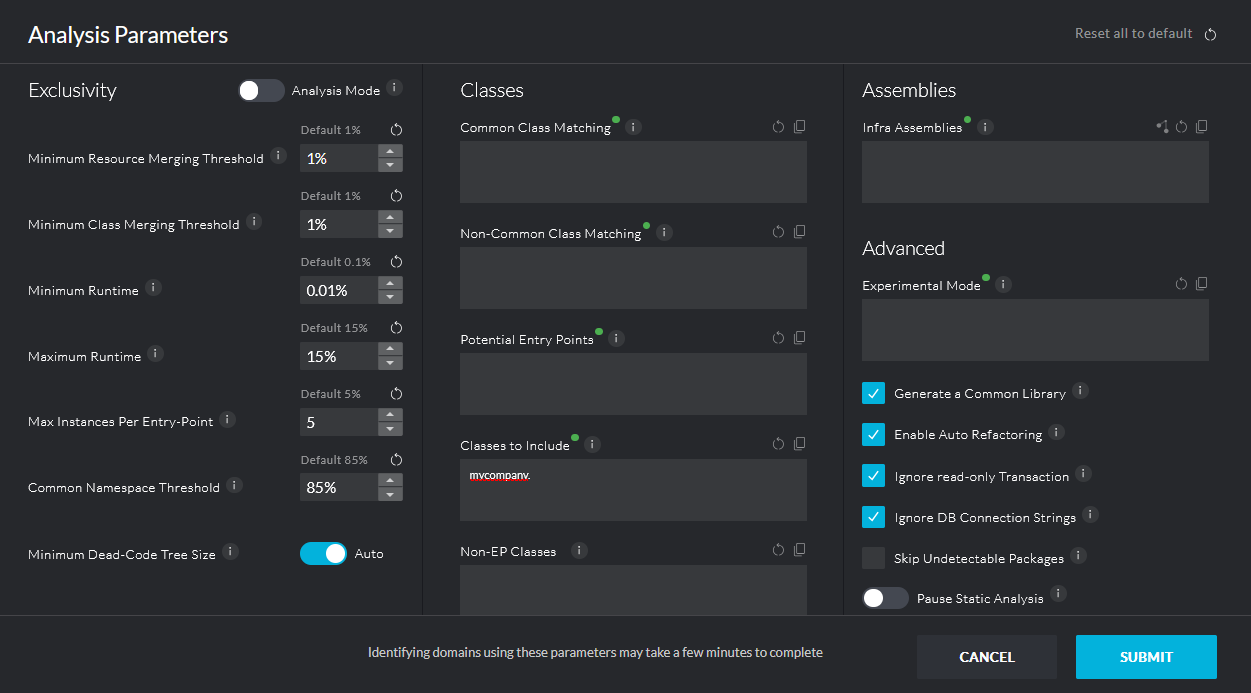
When using Exclusivity Analysis, the vFunction Server treats every class and resource that is seen in the Dynamic Analysis as a Node. The Analysis then creates the optimal domain boundaries so that these Nodes are as exclusive to a Domain as it possible. This version of Analysis is ideal for a Measurement where the Dynamic Analysis was done in a Production environment and the Nodes are representative of the actual day-to-day usage of the application.
Exclusivity-based adjustments can be made to the Measurement to tweak the Analysis. These include:
- Minimum Resource Merging Threshold
- Minimum Class Merging Threshold
- Minimum Runtime
- Maximum Runtime
- Max Instances Per Entry-Point
- Common Namespace Threshold
- Minimum Dead-Code Tree Size
Semantic Analysis
When using Semantic Analysis, the vFunction Server looks for patterns in the naming conventions of classes and resources that are seen in the Dynamic Analysis. The Analysis then creates the optimal domain boundaries based on the patterns that are found in the names of classes. This version of Analysis is ideal for a Measurement where the Dynamic Analysis was done in a Pre-production environment where regression tests cover a wide range of functions but do not put an emphasis on the quantity of high-usage actions performed in the application.
Semantic-based adjustments can be made to the Measurement to tweak the Analysis. These include:
- Minimum Class Merging Threshold
- Common Namespace Threshold
- Number of Domains
- Excluded Terms
- Included Terms